
Amazon Trade-In: How to Get Device Credit in 2026
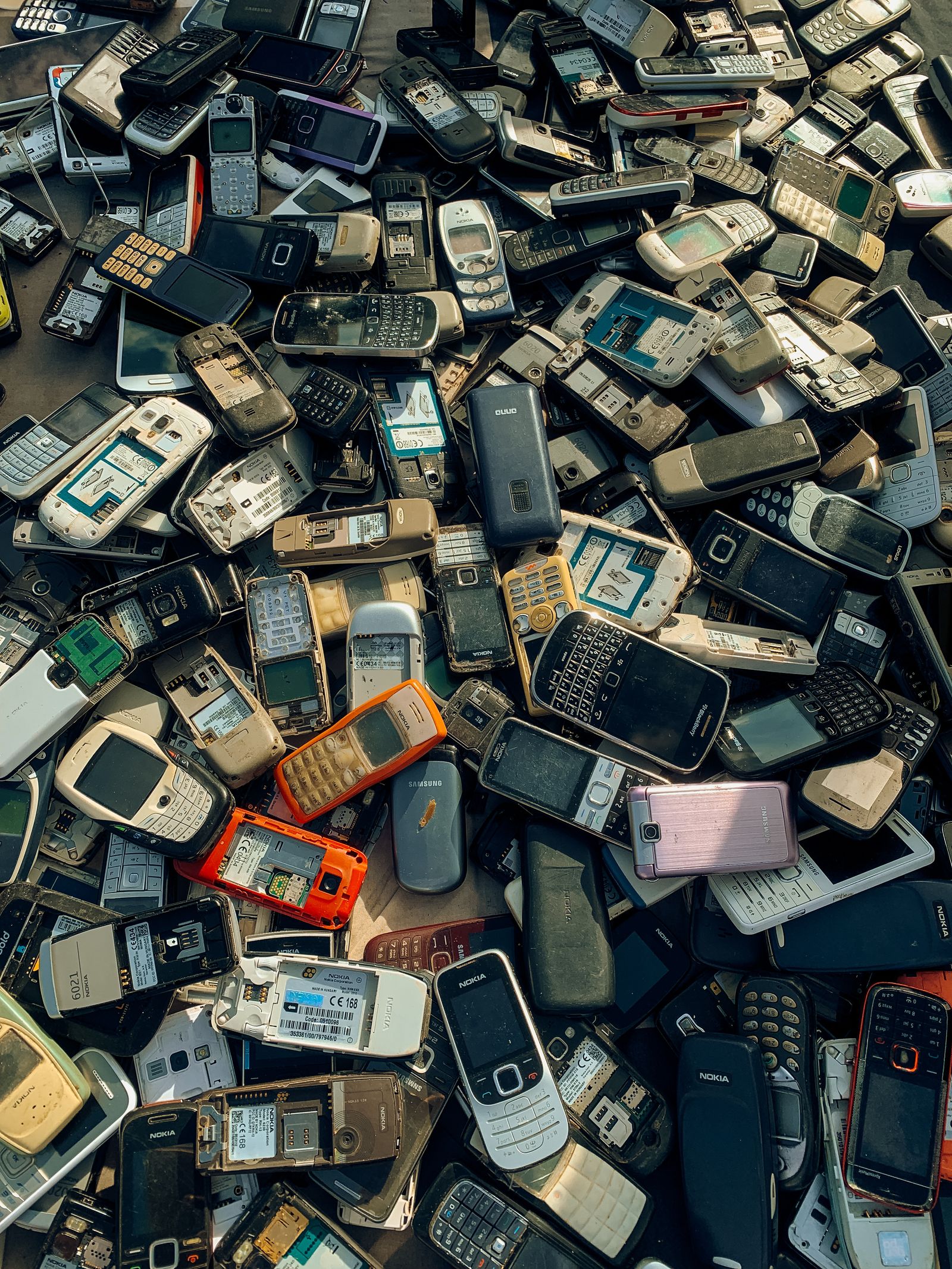
Amazon Trade-In Review - Should You Sell Your Device On Here?
This review looks at how the Amazon Trade-In program works, what kinds of devices qualify, and whether the credit you receive is worth it compared with selling elsewhere.
That old Kindle in your drawer might still have one useful chapter left: helping pay for something you actually need. The same could be true of an unused Echo speaker or another device accepted by Amazon Trade-In.
But there is a difference between getting credit and getting a good deal. A convenient trade-in can clear clutter and reduce an upcoming purchase. It can also offer less than a private sale—or tempt you into buying a replacement you never needed.
Imagine finding an old tablet while looking for a charging cable. You plug it in, discover it still works, and wonder whether selling it is worth the messages, packaging, and potential buyer disputes. Amazon Trade-In offers another route: submit an eligible device, follow the shipping instructions, and receive Amazon credit if the trade-in is accepted.
This guide explains how Amazon Trade-In works, how to prepare your device, and how to judge the real value of an offer in 2026. It focuses on the U.S. program. Availability, accepted products, promotional benefits, and processing terms can change, so your current trade-in offer—not an old article or screenshot—should guide your decision.
1. Amazon Trade-In: How Does It Work?
Amazon Trade-In lets you exchange eligible items for an Amazon.com Gift Card. Depending on the device and the offer available when you submit it, you may also qualify for a promotional discount on an eligible replacement device.
Those are two separate benefits. The gift card represents the accepted trade-in value of your old device. An upgrade promotion, if offered, reduces the price of a qualifying purchase under its own conditions. Neither should be confused with cash deposited into your bank account.
The basic process
- Find your exact device: Search Amazon's Trade-In page or check eligible devices associated with your account.
- Describe its condition: Answer the questions about functionality, physical damage, and any other listed requirements.
- Review the offer: Check the estimated credit, promotional benefits, deadlines, and adjustment options.
- Prepare and send it: Remove personal data and follow the supplied packaging and shipping instructions.
- Wait for evaluation: Amazon or its processing partner checks whether the item matches your submission.
- Confirm the outcome: Review the accepted value and check your gift card balance and any promotional benefit.
For standard submissions, credit depends on the evaluation process. Some eligible customers or transactions may be offered an instant benefit before the device is received. Instant credit does not mean the condition check disappears. Failure to send the device or a mismatch during evaluation can have financial consequences described in the offer terms.
What is different about using it in 2026?
The useful question is not whether an older blog post mentions a generous promotion. It is whether your exact device has a worthwhile offer today. Treat this guide as a decision framework rather than a live price list: it does not verify current trade-in values, discount percentages, or eligible models.
Start on Amazon's official site, sign in to the correct account, and open the Trade-In section. Do not assume an offer from another country applies to Amazon.com, or that a device accepted last year remains eligible now.
2. Which Old Devices Qualify—and Which Do Not?
The quickest way to waste time is to clean, reset, and pack a device before checking whether Amazon wants that model. Verify eligibility first. A familiar brand name or a working screen is not enough.
Amazon's program has included categories such as Kindle e-readers, tablets, streaming devices, Echo speakers, home security devices, and certain products from other manufacturers. The searchable catalog and current terms determine what is accepted when you apply.
Match the model, not just the product name
A Kindle Paperwhite from one generation may have a different offer from another. Similar-looking tablets can differ in storage capacity or connectivity. Choosing the nearest-looking listing can lead to a revised value or rejection.
- Check the model information in the device settings while it still turns on.
- Look for identifying information on the back, underside, or original packaging.
- Use your account's registered-device list as another reference, not as a substitute for checking the physical item.
- Match generation, capacity, and other specifications requested by the trade-in form.
- If you cannot confidently identify the device, resolve that before submitting it.
Can you trade in a broken device?
Sometimes an offer may accept an item that does not work properly, but this is device- and offer-specific. The condition questions should make clear whether your item's state is eligible and what value applies.
Answer honestly. If a tablet only works while connected to power, do not describe it as functioning normally unless the stated criteria actually allow that. If a screen is cracked, report it where requested. An optimistic answer does not repair the device; it creates a mismatch at inspection.
There is also a safety boundary. Do not put a device with a swollen, leaking, or otherwise damaged battery into an ordinary shipment. Check the program's restrictions and seek appropriate local battery or hazardous-waste guidance. Potential credit is never worth a fire risk.
What if your device is missing from the catalog?
Do not submit it under a different model. Compare a manufacturer trade-in, a reputable electronics buyback service, a local resale option, or responsible recycling instead. Some items retain useful resale value even when a particular trade-in program does not accept them.
3. Check the Real Value Before Accepting an Offer
A trade-in quote is easy to compare badly. You see a modest gift card amount, a possible upgrade discount, and a convenient shipping process. But what is the package worth to you?
Use this practical calculation: useful gift card value + savings on a purchase you already planned − additional costs = personal trade-in value. Compare that with what you could reasonably keep from selling the device elsewhere.
A hypothetical example: trade-in vs. resale
Suppose an old e-reader receives a $20 trade-in quote. Imagine the offer also includes 20% off a qualifying replacement priced at $100, and its terms allow the discount to apply to that purchase. That would mean $20 in gift card value plus $20 in purchase savings.
The combined benefit is $40 only if you actually want that qualifying replacement and can use both benefits as expected. These figures are illustrative, not a current Amazon offer. Tax, exclusions, promotion combinations, and the actual checkout price can change the result.
Now suppose a private buyer would pay $45 for the old e-reader, but selling fees and shipping would cost you $10. Your net proceeds would be $35. If you already intended to buy the replacement, the hypothetical trade-in could be attractive. If you did not, the $20 upgrade discount is not a reason to spend $80.
Compare against realistic resale prices
When researching alternatives, look for completed sales where available, not just ambitious asking prices. A device listed for $90 has not necessarily sold for $90. Match condition, accessories, and generation before treating a listing as useful evidence.
- Trade-in advantages: A structured process, less buyer negotiation, and potentially useful upgrade benefits.
- Trade-in disadvantages: Amazon credit rather than cash, a limited eligibility list, and possible value changes after inspection.
- Private-sale advantages: Potentially higher proceeds and more flexibility in how you spend the money.
- Private-sale disadvantages: Listing work, fees, shipping, scams, returns, or inconvenient local meetups.
Your time belongs in the comparison too. Spending an evening negotiating to gain an extra $5 may not be worthwhile. On the other hand, accepting a substantially lower quote for a valuable tablet simply to avoid taking a few photos could be expensive convenience.
Read upgrade promotions as separate offers
Before buying a replacement, check eligible products, expiration dates, redemption limits, and whether the discount combines with the sale price or other promotions. Do not assume that multiple trade-ins produce multiple discounts on one purchase.
Verify the benefit at checkout before placing the order. If it is missing, investigate rather than assuming Amazon will apply it afterward. A gift card balance and a promotional discount can appear in different places and follow different rules.
4. Submit Your Trade-In Without Avoidable Mistakes
Once the offer makes sense, slow down for the submission. Most preventable problems start with the wrong model, a missed instruction, or an assumption about the deadline.
Step 1: Inspect the device in good light
If it is safe to do so, charge the device and test the functions relevant to the condition questions. Check the display, buttons, charging connection, and obvious physical damage. Remove a protective case so you can see the actual housing.
Do not attempt risky repairs merely to chase a higher quote. Replacing a component may cost more than the value increase, and opening a device can introduce new damage.
Step 2: Read every condition answer
Select the exact model and answer the form based on what you observed. Follow the program's definitions rather than your own interpretation of phrases such as good condition. Cosmetic wear and functional damage may be treated differently.
If the offer is too low, you can pause and compare alternatives before committing. Getting a quote does not make an upgrade financially sensible.
Step 3: Understand what happens if the value changes
During submission, look for any choice concerning a lower assessed value or return of the item. Read it carefully: your selected preference may determine whether a reduced offer is accepted or the device is sent back. Available options can vary.
Save the confirmation and any relevant terms. A simple screenshot or downloaded confirmation can help you remember the quoted amount, model, deadline, and preference you selected.
Step 4: Record the deadline and shipping method
Use the deadline shown in your submission instead of a generic timeline found online. Check exactly what the deadline requires and follow the provided carrier and label instructions.
Eligible mail-in submissions generally provide a prepaid shipping label, but review your actual instructions for costs, packaging requirements, and available return methods. Do not substitute a carrier or drop-off service without confirming it is supported.
Step 5: Keep each submission organized
If you are trading in several devices, keep each item with its correct paperwork and label. Combine items only when the instructions explicitly allow it. Mixing up two similar tablets can create unnecessary trouble even when both were eligible.
A practical habit is to create one folder for the transaction: quote, confirmation, device photos, shipping receipt, and tracking number. You may never need it. If something goes wrong, you will be glad it exists.
5. Protect Your Data Before the Device Leaves Home
The most important thing inside an old device is not its remaining resale value. It is access to your information. A tablet can hold photos, saved passwords, messages, and payment-linked accounts. A smart-home device can retain household settings or account connections.
Do not rely on the receiving company to perform your only data wipe. Prepare the device yourself using the manufacturer's instructions for that exact model.
Back up, disconnect, then reset
- Back up what matters: Save local photos, documents, downloads, and notes you want to keep.
- Check account access: If the device holds authentication apps or recovery information, transfer access before erasing it.
- Remove personal media: Take out removable memory cards and SIM cards where applicable.
- Remove account locks: Follow the manufacturer's process for disabling device-finding or activation-lock features when required.
- Sign out or deregister: Remove the account connection as directed for the device and trade-in program.
- Perform a factory reset: Use the official reset procedure rather than simply deleting a few apps or files.
- Verify the result: Where possible, confirm that the device reaches its initial setup screen without exposing your account.
The correct order can vary by manufacturer. For some devices, signing out or removing an account before resetting is essential to avoid leaving an activation lock behind. Follow model-specific guidance rather than applying a tablet checklist blindly to a doorbell or speaker.
What if the device will not turn on?
A dead screen does not prove that stored information is gone. If the device cannot be erased locally, check the manufacturer's remote-erasure options and their limitations. A remote command may not execute until the device reconnects.
Removing a device from an online account is not necessarily the same as erasing its local storage. If you cannot verify erasure and it contains sensitive information, weigh privacy more heavily than the quote. A reputable data-destruction service may be a better option.
Make the final packing check
Photograph the item's condition before packing, and keep identifying information private. Include only the accessories and paperwork the instructions require; do not assume a charger is either mandatory or unnecessary.
Use a sturdy box and enough cushioning to stop the device moving around. Follow any supplied battery-related shipping instructions. Remove or cover obsolete shipping labels, secure the package, and obtain a carrier acceptance receipt when available.
6. Track Your Credit—and Know What to Do if It Changes
After shipping, keep the receipt and monitor tracking. Delivery to a processing facility is not the same as completed inspection, so avoid planning an urgent purchase around an assumed approval date.
Check the processing estimate in your trade-in confirmation and monitor the status through your account. Once the trade-in is accepted, verify the actual gift card amount. If your submission included an upgrade benefit, check its availability and deadline separately.
If the assessed value is lower
Start by comparing the stated reason with your original submission. Common issues can include a model mismatch, unexpected damage, missing required components, or a device that remains locked to an account.
Review the adjustment or return preference you selected. Do not assume there will always be a fresh approval step before a revised value takes effect. If the explanation does not match your records, contact Amazon through its official support channels with the trade-in reference and supporting details.
If shipping or processing stalls
- Check whether the carrier actually recorded acceptance of the parcel.
- Compare the tracking status with the trade-in status in your account.
- Allow for the processing period stated in your confirmation.
- Keep the shipping receipt, tracking number, photos, and submission reference together.
- Ask support about the specific unresolved stage rather than simply reporting that the credit is missing.
For an instant-credit offer, reread the terms if the device is late, rejected, or assessed differently. The offer may allow a charge or other adjustment when its conditions are not met. Treat an upfront benefit as conditional until the trade-in is finalized.
Also protect yourself from look-alike messages. Open your Amazon account directly to check a problem rather than following an unexpected email link asking for payment details. Never pay a stranger to release trade-in credit.
7. Is Amazon Trade-In Worth It for You?
Amazon Trade-In is most useful when three things line up: your device qualifies, the offer is competitive enough, and you have a genuine use for the credit. It is less attractive when the device could sell for substantially more or the promotion creates an unnecessary purchase.
Choose trade-in when convenience has real value
Think back to that tablet in the drawer. If it has modest resale value, you already shop on Amazon, and the trade-in terms are straightforward, accepting a slightly lower return may be reasonable. You are exchanging some potential proceeds for less selling work.
But run the numbers for newer or higher-value hardware. A small percentage difference can represent meaningful money, especially when your alternative is cash rather than retailer credit.
Keep, donate, or recycle when that is the better outcome
A working e-reader may be more valuable to a family member than its trade-in quote suggests. A spare tablet might still serve a useful purpose, provided its software and security support are appropriate for that use. Donation can make sense if the recipient actually wants the item.
For equipment that is unusable or unsupported, choose a reputable electronics recycling route and address data security first. Trading in is not automatically the most sustainable choice if it accelerates replacement of a device that still meets your needs.
Your five-question decision check
- Have I matched the exact model and described its condition accurately?
- Have I compared the offer with realistic net resale proceeds?
- Would I buy the replacement even without the upgrade promotion?
- Can I remove my data safely and meet the submission deadline?
- Do I understand the inspection, adjustment, and promotional terms?
If the answers are yes, you can proceed with far more confidence. If one answer is no, pause there. That unanswered question is usually more important than the excitement of seeing a discount.
The best Amazon Trade-In deal in 2026 is not the biggest advertised incentive. It is the one that fits a purchase you intended to make and leaves you better off afterward.
Start with one device, not the entire drawer. Identify it, check the current offer, and compare your options before resetting or shipping anything. Whether you trade it in, sell it, pass it on, or keep using it, the win is the same: making a deliberate choice instead of letting unused technology—and your money—sit forgotten.