Pomodoro Timer Cube Review: Does It Boost Productivity?
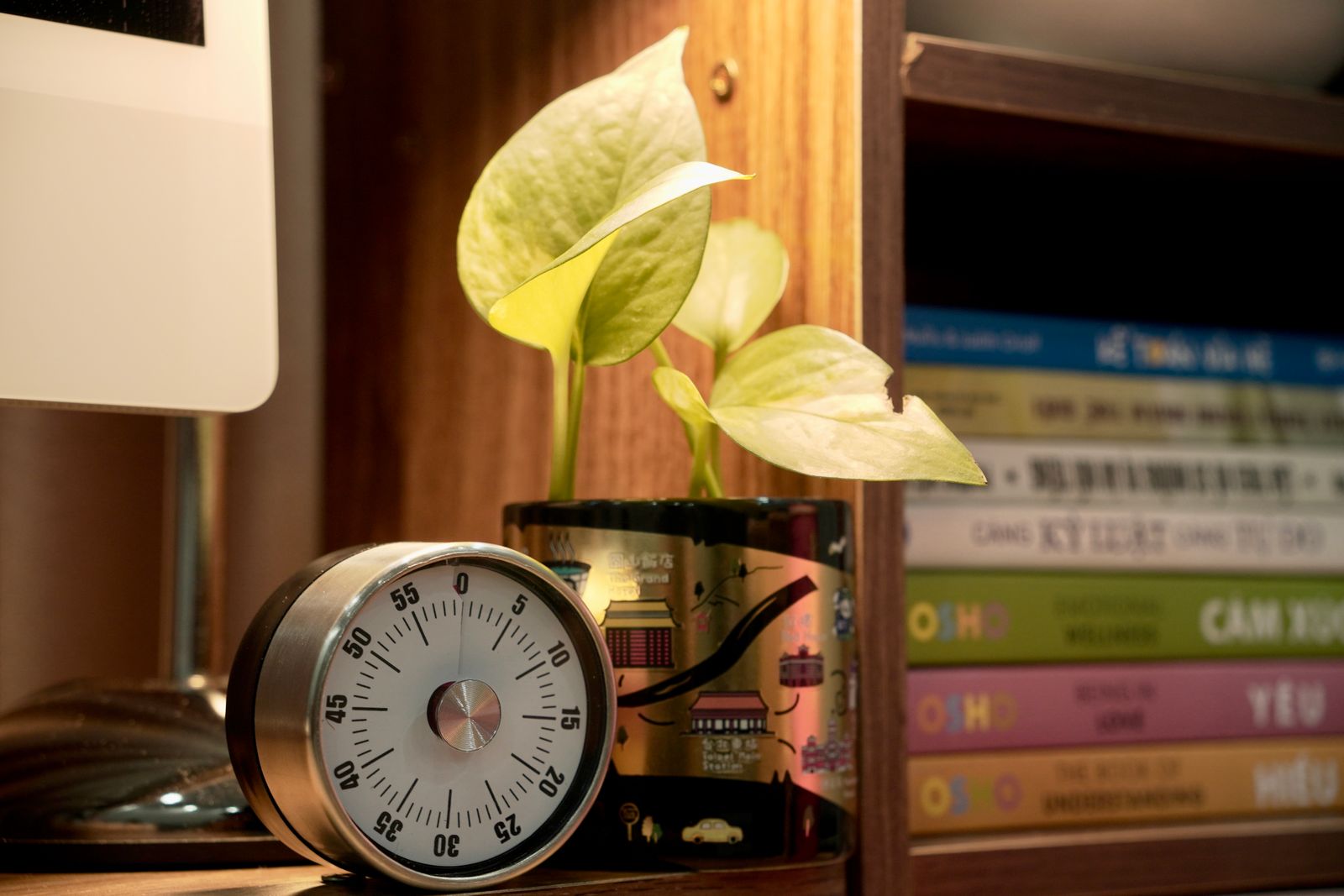
POMODORO TECHNIQUE - My Favorite Tool to Improve Studying and Productivity
An easy-to-follow explanation of the Pomodoro Technique, showing how short timed work sessions and planned breaks can improve focus when studying or working. Includes practical tips for making the method stick.
You pick up your phone to set a 25-minute timer. A notification catches your eye. You answer one message, check something else, and suddenly the task you meant to start is still untouched.
That tiny detour explains the appeal of the Pomodoro timer cube: a physical desk timer you turn or flip to start a countdown. No phone to unlock. No productivity dashboard to configure. Just a small object that makes one straightforward suggestion: work on this, right now.
But does a satisfying little gadget actually improve productivity, or does it become another desk accessory you stop noticing after a week?
The short answer: a timer cube can help if starting tasks and avoiding your phone are your main problems. It is less useful when your workload requires flexible timing, detailed tracking, or frequent interruptions. Its value comes from removing friction, not from any special ability to create concentration.
This review evaluates the product category rather than a specific brand or hands-on test unit. Cubes sold under similar names can differ substantially, so features such as vibration, custom intervals, and automatic break cycles should never be assumed.
1. What a Pomodoro Timer Cube Actually Does
A Pomodoro timer cube is a physical countdown timer designed around quick, tactile controls. On many models, placing a numbered face upward starts the corresponding interval. Other designs use a combination of rotation, buttons, and a display.
The appeal is immediate: instead of opening an app and choosing a duration, you make one physical movement. Depending on the model, returning the cube to a particular orientation may pause or reset it. Always check the instructions, because similar-looking products do not necessarily behave alike.
The Pomodoro method in plain English
The traditional Pomodoro Technique, developed by Francesco Cirillo, uses 25 minutes of focused work followed by a five-minute break. After four work sessions, you take a longer break, commonly 15 to 30 minutes.
Those numbers give the method structure, but they are not a universal formula for attention. Some people need a shorter starting interval. Others settle into meaningful work just as the 25-minute alarm sounds.
A timer cube supports the method by making time visible and sessions easy to start. It does not necessarily automate the whole routine. Some products simply count down one selected duration; others offer a dedicated Pomodoro mode with alternating work and rest periods.
- Basic timer cubes: Usually prioritize a handful of fixed countdown intervals and simple controls.
- More configurable models: May add custom durations, count-up timing, adjustable alerts, or pause functions.
- Pomodoro-focused models: May include work-break cycles, but the exact sequence and flexibility vary.
That distinction matters. A cube with a 30-minute face is not automatically a convenient tool for a 25-minute routine. Buy for the intervals you will use, not the label on the listing.
2. Does It Boost Productivity? The Useful, Limited Answer
Imagine a fictional remote worker, Maya, sitting down to prepare a client proposal. She knows the project matters, but the first step feels vague. She checks email, adjusts the document template, and rearranges her notes. She is busy without getting closer to a draft.
Now change two things. Maya writes, “Draft the opening problem statement,” and starts a 25-minute countdown with a flip of the cube. The project has become a small commitment with a clear finish line.
The cube did not write the proposal. It helped her cross the gap between intending to work and beginning to work. That is the most credible case for its usefulness.
Three ways the cube can help
- It lowers starting friction. A short physical action can be easier than navigating a timer app, especially when you are already resisting the task.
- It separates timing from your phone. You can leave the phone in another room without losing your work timer.
- It creates a visible boundary. A running countdown reminds you that checking an unrelated tab can wait.
The physical ritual can also become a cue. Flip the cube, open the relevant document, and begin. Repeating the same sequence may make the transition into work more predictable, although the habit still depends on what you do after the timer starts.
What the evidence does—and does not—tell us
Research on short breaks provides some support for the broader work-rest idea. A 2022 systematic review and meta-analysis published in PLOS ONE, titled “Give me a break!”, found that micro-breaks had small beneficial effects on vigor and fatigue. It did not find a statistically significant overall performance improvement across the included tasks.
That is useful context, not proof that a particular cube boosts output. Research on breaks does not establish that 25 minutes is the ideal work interval, that a physical timer beats an app, or that every task benefits from being interrupted on schedule.
There is no defensible universal percentage increase to promise here. The sensible question is narrower: does this device help you start sooner, wander less, or take better breaks during your actual workday?
When the timer gets in the way
If you are deep into a difficult coding problem or finally finding the structure of an essay, an alarm can interrupt useful momentum. On the other hand, a countdown may feel stressful if you interpret it as a deadline rather than a work boundary.
Use the timer as a guide, not a supervisor. Where your method and schedule allow, choose longer sessions or finish the current thought before stopping. If strict Pomodoro cycles repeatedly disrupt your best work, a different timing approach may suit you better.
3. The Features That Matter After the First Week
Online demonstrations tend to show the satisfying flip. Everyday usefulness depends on what happens next: whether the alert is tolerable, the display is readable, and a misplaced movement ruins your session.
Intervals that match your work
Check the available preset durations before anything else. If you want classic Pomodoro sessions, easy access to both 25 and five minutes is helpful. If you prefer ten-minute administrative bursts or 45-minute writing blocks, fixed presets may become a limitation.
“Customizable” also deserves a closer look. Can you change the interval directly on the device? Does it require repeated button presses? Will it remember your preferred setting? A feature that takes too much effort to use can erase the cube's main advantage.
Alerts you can actually live with
An audible beep works at home but may be inappropriate in a library or shared office. Vibration can be more discreet, though a vibrating device on a hollow desk can still make noticeable noise. A silent visual alert may be easy to miss when you are absorbed in work.
- Look for adjustable volume or a genuine mute setting.
- Confirm whether vibration is included rather than inferred from photos.
- Check whether the alert stops automatically or needs a manual action.
- Consider whether a flashing display will be distracting in your workspace.
For sound-sensitive users, an otherwise excellent timer can fail on this single detail. Alert controls deserve more attention than color choices.
Pause, reset, and accidental movement
Your colleague asks a question. You move the cube aside. Does the countdown pause, restart, or switch to another interval? This is where a clever interaction can become irritating.
Check whether the timer preserves remaining time, requires a deliberate orientation change, and has an easy way to recover from a mistake. A stable base and predictable controls matter more than an elaborate display animation.
Battery, charging, and readability
Some cubes use replaceable batteries; others have rechargeable batteries. Neither option is automatically better. Replaceable batteries avoid charging interruptions but create recurring purchases. Rechargeable models are convenient if you have a reliable charging routine.
A USB-C port alone does not establish battery endurance or charging compatibility. Check the manufacturer's cable and power requirements, whether the device operates while charging, and whether there is a low-battery warning. Do not assume a listed battery-life figure applies equally to bright displays and frequent vibration.
Finally, think about where it will sit. A display that looks clear in a close-up product photo may be hard to read beside a monitor. Look for usable contrast, sensible viewing angles, and labels that remain understandable without memorizing the manual.
4. How to Use a Timer Cube Without Timing Procrastination
A timer can measure 25 minutes of avoidance just as accurately as 25 minutes of focused effort. The difference is the routine around it.
Step one: name a finishable action
Before starting, write a sentence that begins with a verb. “Work on presentation” is vague. “Outline the three recommendations for the presentation” is concrete.
- Student: Answer five practice questions, then check the explanations.
- Developer: Reproduce one reported bug and record the steps.
- Freelancer: Draft the opening section of one client deliverable.
- Office worker: Process the expense receipts from last week.
The action does not have to take exactly one interval. It just needs to make the next move obvious. If you finish early, review the result or choose the next closely related step rather than opening social media by reflex.
Step two: remove one predictable distraction
Put your phone out of reach, close irrelevant tabs, or silence nonessential notifications. Start with the distraction you encounter most often instead of trying to engineer a perfect workspace.
For Maya's fictional proposal session, the useful change is simple: the client brief stays open, email closes, and the phone goes into a drawer. The cube then supports an environment designed for one task.
Step three: give interruptions somewhere to go
Keep a scrap of paper nearby. When you remember an unrelated errand or feel the urge to look something up, write a few words and return to work. This gives the thought a place to wait without turning it into a new activity.
For external interruptions, use judgment. A genuinely urgent request takes priority over a timer. If interruptions are constant, discuss availability expectations or reserve a protected work period; hardware cannot solve an organizational problem on its own.
Step four: take a break that feels different
When the session ends, stand up, look away from the screen, stretch gently, or get water. A break does not need to be productive. Its job is to interrupt the strain of continuous work.
If social media routinely turns five minutes into 20, choose an offline break. You are not banning entertainment; you are avoiding an activity that makes returning harder.
Step five: leave yourself a restart cue
Before stepping away, write the next action: “Add the pricing comparison” or “Check why the second test fails.” This tiny handoff can be more valuable than any advanced timer feature because it removes uncertainty when you return.
Keep your first week modest. Start with two purposeful sessions a day rather than planning a schedule packed with back-to-back intervals. You are testing whether the routine helps, not auditioning for a productivity competition.
5. Pomodoro Timer Cube vs Apps and Other Timers
The cube's strongest competitor is not another viral gadget. It is the timer you already own.
Timer cube vs phone app
A cube wins on separation and tactile simplicity. It can keep you away from the device that carries your messages, feeds, and notifications. It also remains visible on your desk without occupying a computer window.
A Pomodoro app generally offers more flexibility: custom schedules, session history, task labels, and sometimes website blocking. If your phone is not a distraction, or you already use a distraction-free desktop app, those features may make an app the better choice.
The deciding question is not which tool has more functions. It is which one lets you begin with fewer opportunities to drift.
Timer cube vs a basic kitchen timer
A kitchen timer can support the same work-break method. It may offer arbitrary durations at a lower price, and you might already have one in a drawer.
The cube earns its place only if its interaction, display, or alert options make it noticeably more convenient. If turning a dial works just as well for you, there is no productivity reason to upgrade.
Timer cube vs smartwatch
A smartwatch with a timer can provide discreet wrist alerts and move with you between rooms. It can also carry notifications that undermine focus, depending on your settings.
A desk cube works better as a stationary visual cue. A watch may work better for someone who moves between a desk, workshop, and meeting space. Check what your existing device can do before buying another one.
Fixed presets vs customizable timing
Fixed presets are useful when reducing choices is the point. Custom timing is useful when your work varies substantially. Neither is inherently more productive.
Choose the least complicated tool that fits your real sessions. Extra functions help only when they solve a recurring problem; otherwise, they are more settings to manage.
6. Pros, Cons, and What to Check Before Buying
A balanced Pomodoro timer cube review has to acknowledge both sides: the simplicity is genuinely appealing, and that same simplicity can make the device too limited.
The strongest advantages
- Phone-free timing: Helpful when setting a phone timer often leads to unrelated browsing.
- Quick starts: A physical gesture can reduce the effort needed to begin a session.
- Visible work boundaries: The cube can serve as a reminder that you have chosen one task for now.
- Low software overhead: Standalone models do not need accounts, subscriptions, or another app to maintain.
- Simple break cues: Useful for people who otherwise keep working without noticing the time.
The meaningful drawbacks
- Limited intervals: Fixed presets may not match your preferred work and break lengths.
- Possible flow interruptions: Frequent alarms can break concentration during demanding work.
- Little reporting: Many standalone cubes do not log tasks or session history.
- Variable usability: Alert quality, rotation sensitivity, and display clarity differ between products.
- Another object to maintain: It takes desk space and needs batteries or charging.
A practical buying checklist
Before ordering, find clear answers to these questions in the specifications or manual:
- Are your preferred work and break intervals available?
- Does the timer automatically alternate sessions, or will you reset it manually?
- Can you mute it, adjust the volume, or use vibration?
- What happens when you pause, move, or accidentally flip it?
- Can you read the remaining time from your normal sitting position?
- What batteries, charging cable, or power source does it require?
- Are the return policy and warranty clear for the exact seller?
Read reviews about routine annoyances, not just first impressions. Reports about unexpected resets, difficult controls, or overly loud alerts tell you more about daily usefulness than a video showing one satisfying flip.
Some listings use very similar photos for different versions. Verify the exact model and included features, and check the current price rather than relying on a promotional claim. A discount does not make an unsuitable timer better.
7. Is a Pomodoro Timer Cube Worth It? Try This Test
A Pomodoro timer cube is worth considering when you want a simple, phone-free cue to start focused work. It is especially appealing for desk-based tasks with clear next steps and for people who find apps distracting or unnecessarily elaborate.
It is less compelling if you need automatic reporting, work mainly in unpredictable service environments, or dislike scheduled interruptions. For people with attention difficulties, it may be one helpful external cue, but it is not a treatment or a substitute for professional support when needed.
Test the habit before buying the hardware
For three days, use an existing timer for two deliberate work sessions. Choose specific tasks, put your phone away where possible, and take short breaks. This tells you whether timed sessions suit you before you pay for a different interface.
If you buy a cube, compare a few similar days within the return window. Keep the tasks and session lengths reasonably consistent. A busy meeting day and a quiet writing day are not a fair comparison.
- Starting: Did you begin the planned task with less delay?
- Attention: Did you make fewer unplanned switches to messages or unrelated tabs?
- Output: Did you complete meaningful work, not just more countdowns?
- Comfort: Did the alerts and timing feel supportive rather than stressful?
- Consistency: Did you keep using the cube after the initial novelty faded?
This is a personal usability check, not a scientific experiment. Still, it is far more useful than assuming a popular desk gadget will work because it looks convincing in someone else's setup.
The final verdict
The best thing about a Pomodoro timer cube is also its limit: it does very little. For the right person, that is exactly what makes it useful. It replaces opening a device with turning an object, and it turns an open-ended intention into a manageable period of effort.
But the cube cannot choose your priorities, protect an impossible schedule, or make an unclear task easier to understand. Those changes happen around the timer, not inside it.
Before your next work session, write one concrete next step. Remove one distraction. Give yourself a reasonable stretch of time to begin. If a small cube makes that sequence easier to repeat, it has earned its place on your desk.
The goal is not to finish more timers. It is to finish more of the work that matters—and have enough energy left to enjoy the time beyond it.