
Sony WH-1000XM6 Review: Worth It for Remote Work?
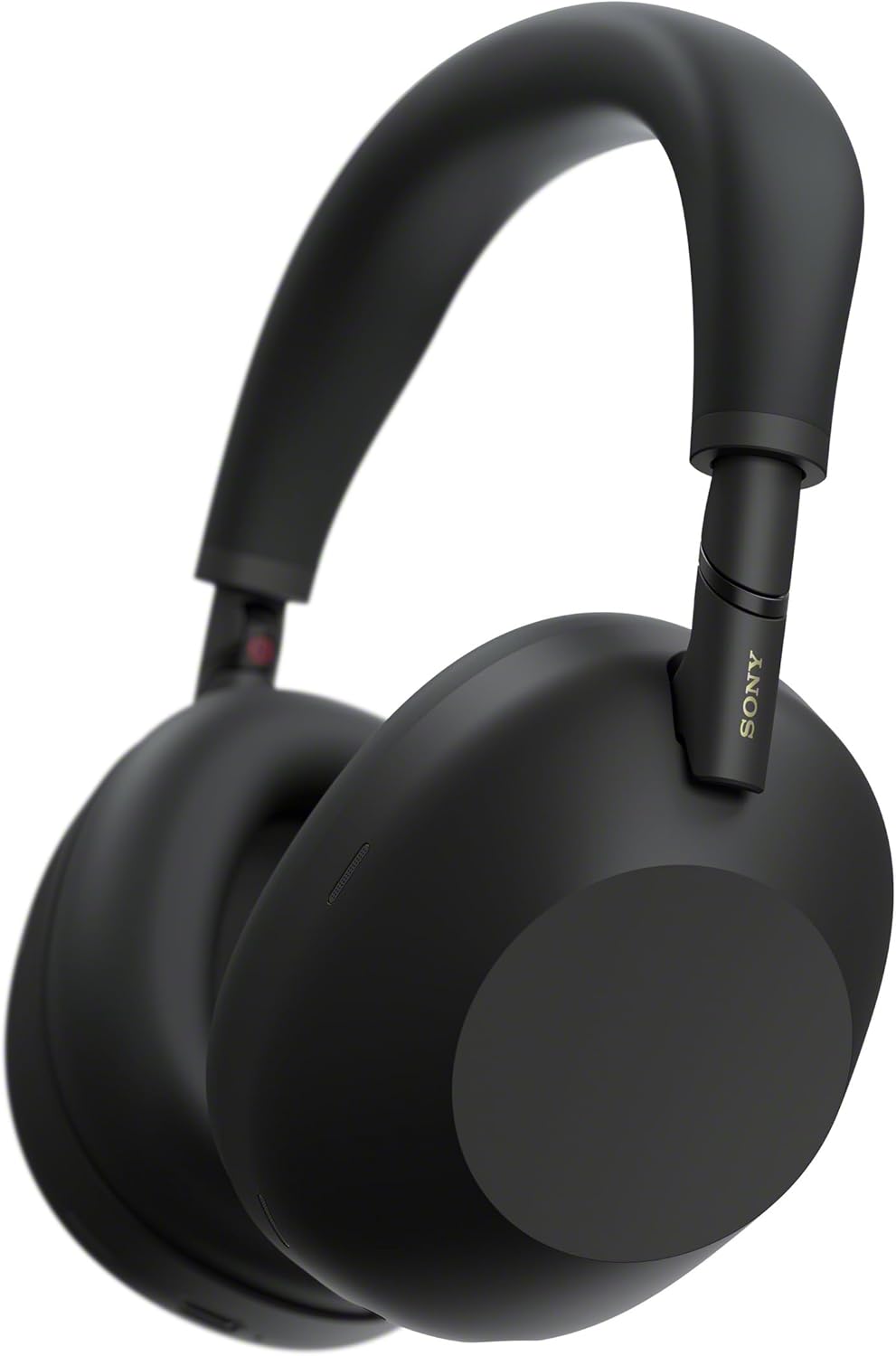
Sony WH-1000XM6 Review: Back on the Throne!
Marques Brownlee reviews Sony’s WH-1000XM6, covering the noise cancelling, sound quality, comfort and design changes, and whether the premium price is justified.
Your meeting starts in three minutes. The washing machine is spinning, someone nearby is taking a call, and the document you need to finish is still mostly a title. You reach for your headphones, hoping they will do more than play music.
That is the real test for the Sony WH-1000XM6. Not whether a favorite song sounds impressive for thirty seconds, but whether these premium noise-canceling headphones make an ordinary, interruption-filled workday easier.
The short answer? They are a compelling choice for remote workers who split their time between concentrated work, video calls, and travel. They are less compelling if you need a dedicated business headset, dislike wearing over-ear headphones for hours, or already own a pair that solves your noise problem.
This Sony WH-1000XM6 review evaluates their published features and practical implications for remote work. It is not a claim of hands-on testing or independent microphone measurements. Battery figures are manufacturer ratings, and your comfort, call performance, and connection experience will depend on your setup.
1. The Real Question: What Is Interrupting Your Work?
Imagine a typical hybrid worker, Maya. On Monday, she writes reports at home beside a noisy street. On Tuesday, she joins back-to-back meetings from a shared office. On Friday, she finishes a proposal on a train. This is an illustrative scenario, but it captures why one person might find premium headphones worthwhile while another sees an unnecessary expense.
Maya is buying three different things: a quieter listening environment, a way to take calls, and a portable boundary between herself and everything happening nearby. The WH-1000XM6 addresses all three, but not equally in every situation.
What Sony puts on the table
- Active noise cancellation: Sony's HD Noise Canceling Processor QN3 works with a 12-microphone system to manage surrounding noise.
- Call-focused processing: A six-microphone AI-based beamforming system is designed to help isolate your voice during calls.
- Battery endurance: Sony rates music playback at up to 30 hours with noise cancellation enabled and up to 40 hours with it disabled.
- Two-device connectivity: Bluetooth multipoint lets you connect two compatible devices, such as a laptop and a phone.
- Travel-friendly construction: A folding design makes the headphones easier to pack than the nonfolding WH-1000XM5.
- Personalization: The Sony Sound Connect app provides sound adjustments and controls for supported listening features.
The US launch price was $449.99, placing these firmly in premium territory. Current prices, regional taxes, and promotions vary, so compare the actual checkout cost rather than assuming the launch price still applies.
At this level, the useful question is not, Are these good headphones? It is, Will their particular strengths improve the parts of my day that currently go wrong?
2. Noise Cancellation: More Breathing Room, Not Silence
For focus, active noise cancellation is the main attraction. It uses microphones and signal processing to reduce external noise at your ears. The ear cushions also provide passive isolation, making their fit part of the result rather than a minor comfort detail.
Steady sounds such as air conditioning, engine rumble, and ventilation are generally the kind of noise ANC handles most effectively. Nearby conversations, sudden clattering, and a dog barking are harder to suppress completely. Sony's processing targets a broad range of noise, but you should not expect a silent room on demand.
That distinction matters when shopping. If your main frustration is a persistent low-frequency hum, the improvement can be more useful than if your main frustration is understanding every word spoken by a colleague two feet away.
Why voices can still pull your attention away
Human speech changes quickly, and your brain is especially good at noticing meaningful words. Even quieter speech can remain distracting. A premium ANC system can reduce the interruption without removing it.
A practical approach is to combine noise cancellation with low-volume instrumental music or a neutral background sound. The goal is not to overpower the room. It is to make remaining sounds less prominent while keeping playback comfortable.
- For writing: Try lyric-free music, soft rain, or another steady sound that does not compete with language.
- For spreadsheets: Start with ANC alone, then add audio only if the environment still distracts you.
- For reading: Compare silence with a quiet masking track; more audio is not automatically more helpful.
- For shared homes: Pair headphones with a visible focus signal and agreed interruption times.
Before judging the cancellation, check the seal. Hair under the cushions, thick glasses arms, or an uneven fit can change both isolation and bass response. Reposition the cups gently rather than immediately raising the volume.
Make the environment predictable
Adaptive Sound Control can adjust listening settings according to detected activity or configured locations. That is convenient during a commute, but automatic changes may be unwelcome during a concentration block.
If the listening mode seems to change at inconvenient moments, review those settings in the app. For desk work, a consistent ANC configuration can be more useful than a clever one that keeps intervening.
The productivity benefit is reduced competition for your attention, not a guaranteed increase in output. These headphones cannot close your messaging app, prioritize a project, or make a difficult task easy. They can make the environment less demanding while you do those things.
3. Calls and Meetings: Good Tools, Important Limits
Noise cancellation and microphone noise reduction solve different problems. ANC affects what you hear. Call processing affects what the person on the other end hears. Excellent performance in one does not automatically prove excellent performance in the other.
The WH-1000XM6 uses beamforming microphones and AI-based processing intended to emphasize your voice and reduce competing sound. That makes it a credible all-purpose option for people who need music headphones that can also handle meetings.
Still, the microphones sit on the earcups, not on a boom beside your mouth. Distance and acoustics remain relevant. A nearby competing speaker, a reverberant kitchen, or strong outdoor wind can challenge processing that works well in a quieter room.
The laptop connection is part of the review
Bluetooth meeting quality depends on more than the headphones. Your operating system, Bluetooth hardware, selected audio profile, and meeting application all matter. On many classic Bluetooth setups, activating the headset microphone changes the connection to a call-oriented mode that reduces playback fidelity.
Newer audio technologies can improve parts of this experience, but support varies across devices and software. Do not assume a newer pair of headphones automatically gives an older work laptop every available capability.
Multipoint is useful for keeping a phone and computer connected, but it is not an audio mixer. Two-device connectivity does not mean you can freely blend both sources. Notifications, incoming calls, and application behavior can also affect switching.
Run this meeting test before the return window closes
- Use your actual work computer: A successful phone call does not verify performance on a company-managed laptop.
- Check the input and output: Confirm that Teams, Zoom, or Meet is using the devices you intended.
- Record a short sample: Speak normally, pause, type, and turn your head while recording through your chosen microphone.
- Add realistic background sound: Test with your usual fan or household activity, not only in a silent room.
- Test multipoint: Connect your phone, join a practice meeting, and see what happens when notifications arrive.
- Check mute behavior: Verify how you will mute in your meeting app rather than assuming headphone controls provide business-headset integration.
If your day revolves around client calls, a business headset with a boom microphone and a supported USB adapter may be the safer purchase. Such products often prioritize predictable connectivity, microphone placement, and meeting controls over music reproduction.
If your day combines several hours of focused work with occasional meetings, Sony's balance is more attractive. Another option is to use the XM6 for listening and a separate USB microphone for speaking. This can avoid the classic Bluetooth headset-microphone trade-off, although a desk microphone may capture more room noise unless positioned carefully.
4. Comfort and Controls: The Two-Hour Test Matters
A pair of headphones can impress during a shop demonstration and become irritating before lunch. For remote work, comfort is not a bonus feature. It determines whether you will actually use the noise cancellation you paid for.
The WH-1000XM6 weighs approximately 254 grams. That is useful context, but weight alone cannot predict comfort. Headband pressure, cup position, cushion contact, glasses, hairstyle, and room temperature all influence the experience.
Closed-back over-ear headphones also retain heat. In a warm home office, even an otherwise comfortable fit can become clammy over a long session. No specification sheet can settle that question for your head.
Try a realistic work session
During the return period, wear the headphones while doing an ordinary task for 60 to 90 minutes, then assess the result. Do your ears touch the interior? Does the headband create a hotspot? Are your glasses pressing into your temples? Do you keep moving the earcups without thinking about it?
Take short breaks between work blocks rather than treating all-day wear as a requirement. Removing the headphones briefly also makes it easier to check whether you have been gradually increasing the volume.
The folding design is a practical improvement for people who move between desks, coworking spaces, and public transport. However, folding hinges are not a promise of unlimited durability. Use the case in a crowded bag and avoid putting pressure on the earcups.
Disable features that interrupt your workflow
Touch controls can be convenient, but convenience depends on habit. Practice playback and volume gestures before relying on them during a presentation. Adjusting the earcups should not become an exercise in avoiding accidental commands.
Speak-to-Chat can pause playback when you begin speaking. That is useful when someone asks a question, but less useful if you read drafts aloud, hum, or talk through a problem. If your audio repeatedly stops while you work, check this feature rather than assuming the connection is faulty.
Ambient sound modes are helpful when you need awareness of your surroundings. Use them deliberately when moving through shared spaces, and do not rely on any listening mode as a substitute for paying attention near traffic or other hazards.
A good work setup is often the simplest setup. Keep the features that remove friction and turn off the ones that make you manage the headphones instead of your work.
5. Sound and Battery: Built for More Than the Meeting
One reason to choose the Sony WH-1000XM6 over a conventional office headset is what happens after the call ends. These are premium music headphones with 30 mm drivers and app-based equalization, not simply a communications accessory.
Sound preference is personal, so labels such as perfect or studio-quality tell you less than a few familiar recordings. Listen for whether voices are clear, bass feels controlled, and dense arrangements stay comfortable at moderate volume. An EQ adjustment may suit you better than the default setting.
For concentration, pleasing beats impressive
A dramatic sound profile can be exciting for leisure listening yet draw too much attention during work. If bass dominates your background playlist, reduce it slightly. If cymbals or sharp electronic sounds become tiring, experiment with a gentler balance rather than abandoning music entirely.
Change one setting at a time and compare at a similar volume. Louder sound can seem more impressive even when it is not more useful. For long work sessions, comfort and consistency matter more than making every track feel spectacular.
The XM6 supports LDAC with compatible sources, while iPhones use AAC rather than LDAC. Codec availability depends on the source device and connection settings. For remote work, stable playback and a comfortable level usually matter more than chasing a particular Bluetooth codec badge.
Battery expectations without the marketing shortcut
Sony's rating of up to 30 hours of music playback with ANC enabled suggests plenty of flexibility between charges. But playback endurance is not the same as meeting endurance. Microphone use, volume, connection settings, and other features can change actual battery life.
For perspective, five six-hour listening days total 30 hours. That arithmetic is not a promise of a full workweek without charging; it simply helps translate the published playback figure into a schedule. If your week contains frequent calls, build in more margin.
Sony also advertises up to three hours of playback from a three-minute charge with a compatible USB Power Delivery adapter under its specified conditions. That can help before a commute, but a regular charging routine is still more dependable than emergency charging.
- Check battery before important calls: Make it part of the same routine as opening your presentation.
- Keep a charging cable at the desk: Reduce the chance that charging becomes another task to remember.
- Use automatic power-off settings: Review available options if you often leave the headphones sitting unused.
- Keep a backup audio option: Basic wired earbuds can rescue a meeting when batteries or Bluetooth misbehave.
One purchasing detail deserves attention: USB-C charging does not mean USB digital audio. The XM6 is not a plug-in USB office headset. Its analog wired connection also does not turn the built-in Bluetooth microphone system into a wired meeting microphone. If wired calls are essential, plan the microphone path separately.
6. Sony WH-1000XM6 vs Alternatives: Spend on Your Bottleneck
The strongest alternative is not always the newest competing model. Sometimes it is a discounted older Sony, a call-focused headset, or keeping the headphones you already own.
WH-1000XM6 vs WH-1000XM5
The XM6 brings updated noise-canceling and call-processing hardware, along with the return of a folding design. Those changes are relevant if portability and mixed work use matter to you.
However, an XM5 at a substantial discount can still make sense for someone who mainly wants wireless music and noise cancellation at a stationary desk. If you already own the XM5 and find its comfort, isolation, and calls satisfactory, an upgrade needs a more specific reason than a higher model number.
WH-1000XM6 vs Bose QuietComfort Ultra Headphones
Bose's QuietComfort Ultra range is a logical comparison for buyers prioritizing ANC and comfort. Check the exact generation and current price, because product names and retailer listings can make comparisons less straightforward than they appear.
Try both if possible. A slightly better fit can matter more over a workweek than a feature you use once a month. Compare pressure around your glasses, perceived warmth, controls, and the way each product handles your own environment rather than relying only on rankings.
WH-1000XM6 vs a dedicated work headset
A business headset from a call-focused range is often the more sensible tool for support staff, sales teams, and anyone whose voice must remain consistent through hours of meetings. Look for the microphone design, supported USB connection, and certification relevant to your organization's software.
The Sony makes more sense when you want one device for a morning train, a writing session, an afternoon meeting, and music at home. A work headset makes more sense when the call itself is the product you deliver.
The pros and cons that actually affect work
- Pro: A comprehensive noise-canceling design suited to reducing environmental distractions.
- Pro: Music, calls, multipoint connectivity, and portable folding construction in one device.
- Pro: Long rated playback endurance and useful app customization.
- Con: Premium pricing may be hard to justify in an already quiet workspace.
- Con: Comfort, heat, and perceived ANC pressure remain individual factors.
- Con: Bluetooth call behavior is dependent on the laptop and software, not Sony alone.
- Con: No direct replacement for a USB business headset with a close-positioned boom microphone.
A useful spending rule is to identify your bottleneck first. If it is room noise, prioritize ANC and fit. If colleagues struggle to hear you, prioritize microphone placement. If constant alerts break concentration, change notification settings before buying hardware.
7. Final Verdict: Worth It When Quiet Has a Daily Job
The Sony WH-1000XM6 is worth considering for remote work if you regularly face distracting noise and want one premium pair for focus, meetings, and travel. Its appeal comes from the combination of capabilities, not from a promise that any single feature will fix your workday.
It is a less persuasive purchase for someone who works in a quiet room, spends nearly every hour on calls, or needs reliable USB headset integration. It is also worth waiting if your current headphones already meet your needs and the price difference would strain your budget.
Your before-you-buy checklist
- Check the real price: Compare authorized sellers, warranty coverage, and the cost of credible alternatives.
- Confirm the return policy: You need enough time to evaluate comfort and actual work calls.
- Verify laptop compatibility: Check Bluetooth support, company restrictions, and your meeting application's settings.
- Test your hardest environment: A noisy afternoon at your real desk is more revealing than a quiet demonstration.
- Choose a success criterion: Decide whether you are buying fewer distractions, better portability, or a simpler daily setup.
Then give the headphones a purposeful trial. Choose one demanding task, silence nonessential notifications, set a comfortable listening level, and work for a defined block. Afterwards, ask a modest question: was it easier to stay with the task?
That is where Maya's imagined workday becomes your own decision. Not in a dramatic moment of perfect silence, but in the paragraph finished without restarting, the meeting joined without scrambling, or the train journey that becomes usable time.
The best headphones do not do the work for you. They help create room for you to do it. If that room is what your day is missing, the WH-1000XM6 deserves a place on your shortlist.